
Create a pipeline
A pipeline is an ordered sequence of steps. The pipeline is the workflow. An execution is one run of it. The same pipeline can run many times, with different periods, organisation units, or other settings.
Decide the purpose before you add steps. Two common pipelines are pulling data from another instance and running a prediction. The handlers you can assign are listed on Handlers.
Before you start
Section titled “Before you start”You are on Pipelines. Anything the steps will read or write already exists. See Before a pipeline.
Create the pipeline
Section titled “Create the pipeline”- Click New Pipeline.
- Enter a name. A description is optional.
- Choose the execution behaviour. This is what CAPS does when you trigger this pipeline while another run of it is still going.
- Click Create Pipeline.
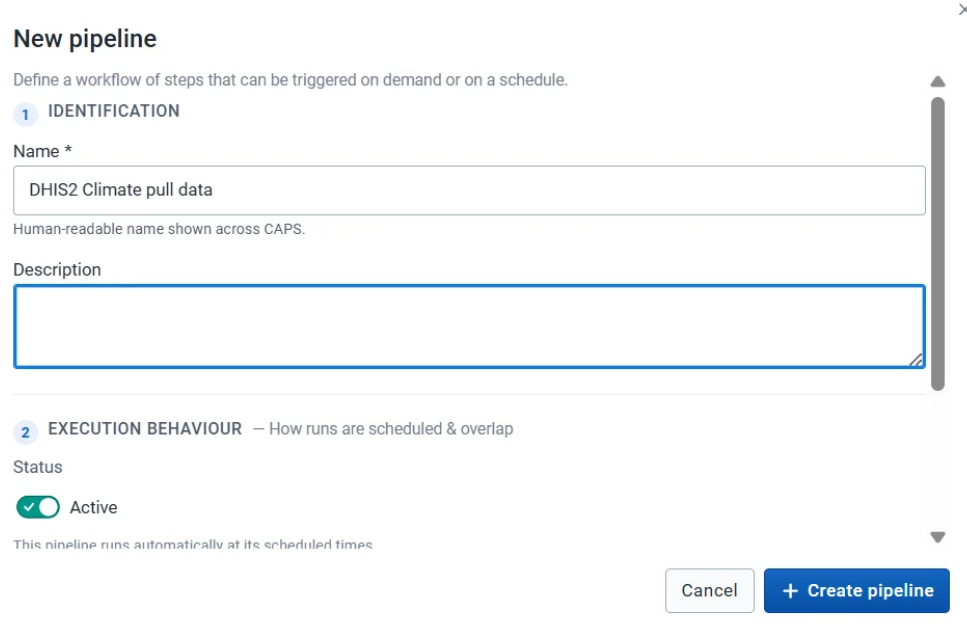
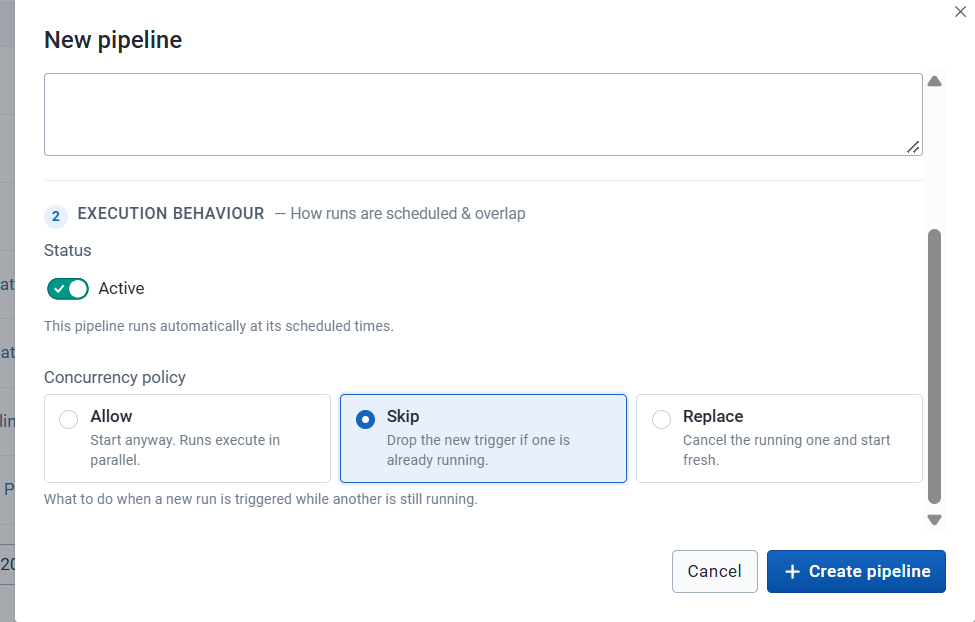
The new pipeline appears in the list. Open it and use Steps to add the workflow.
Execution behaviour
Section titled “Execution behaviour”| Behaviour | What CAPS does |
|---|---|
| Allow | Starts another run alongside the one already going |
| Skip | Leaves the running execution alone and does not start a new one |
| Replace | Stops the running execution and starts the new one |
Pick the behaviour that matches the workflow. Skip and Replace matter most for a scheduled pipeline, where a slow run can still be going when the next one is due.
Add a step
Section titled “Add a step”Every step uses the same opening fields. The handler then asks for its own configuration.
- Open the pipeline and go to Steps.
- Click Add step.
- Under Basics, enter a step name. A description is optional. Max retries and Retry delay (ms) start at 3 and 1000. Change them when this step should try again more or less often.
- Under Handler, select the operation. See Handlers.
- Under Configuration, fill in what that handler asks for.
- Click Add step.
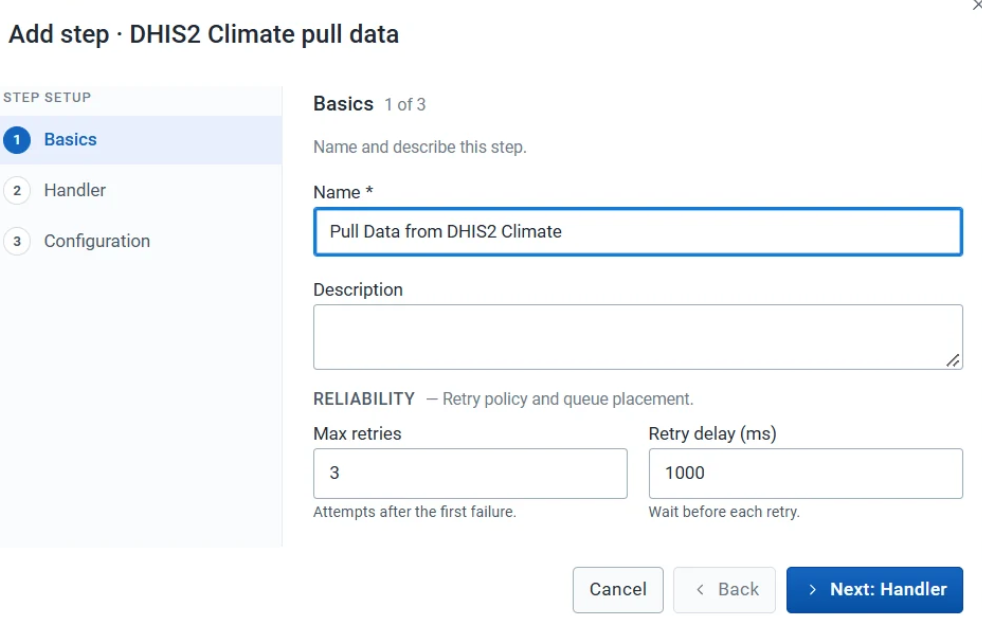
Steps appear in the order you created them. Drag the nine-dot handle to reorder a step. Use the action buttons on a row to edit or delete that step.
Polling and retry
Section titled “Polling and retry”Some handlers start work that finishes later, such as a climate request or a CHAP prediction. A following poll step checks that existing job.
- The polling interval is how long CAPS waits between checks.
- Maximum polling attempts is how many times it checks before it stops.
If the job never reaches the required status within those limits, the execution fails. Polling does not start the job again. The retry fields on Basics do that, and only after a step has failed.
The pipeline is in the list, and Steps shows the operations in the order they should run.
Trigger, edit, or delete the pipeline, or add a schedule.