
Pull data from another instance
Use this pipeline when case data lives on another DHIS2 instance. Three steps copy the values you select onto this instance and make them available in analytics.
Before you start
Section titled “Before you start”- The pipeline exists and is open on Steps. See Create a pipeline.
- The source instance is connected. See Connect a source instance.
- This instance has data elements to store the pulled values. See Data elements and datasets.
Shared fields on every step — name, retries, and retry delay — are on Create a pipeline.
1. Pull from the source instance
Section titled “1. Pull from the source instance”- Click Add step.
- Under Basics, name the step. The name, Max retries, and Retry delay (ms) fields are the same on every step. See Create a pipeline.
- Under Handler, select DHIS2 Instance Pull.
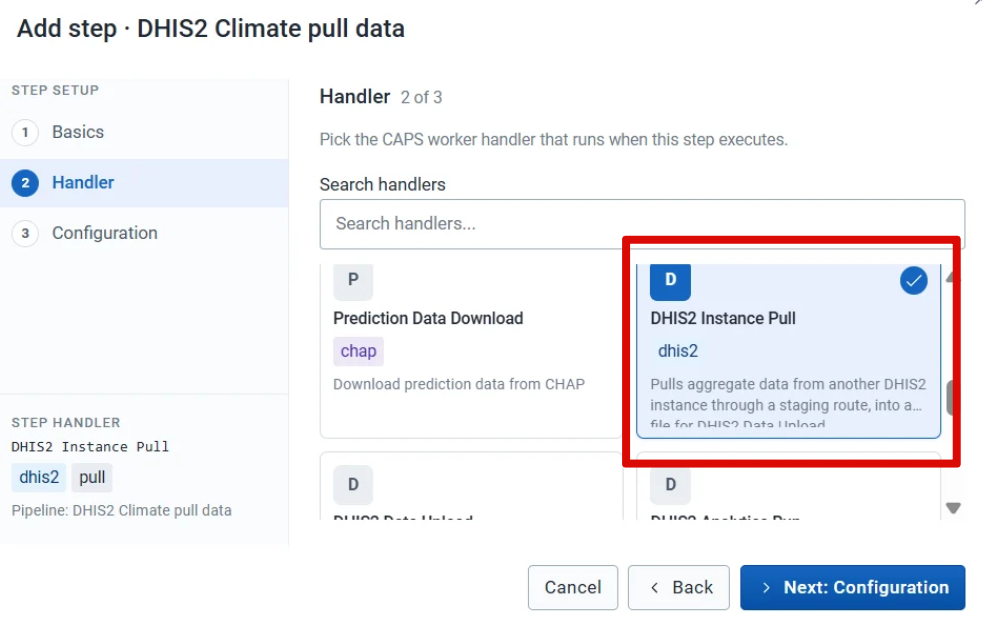
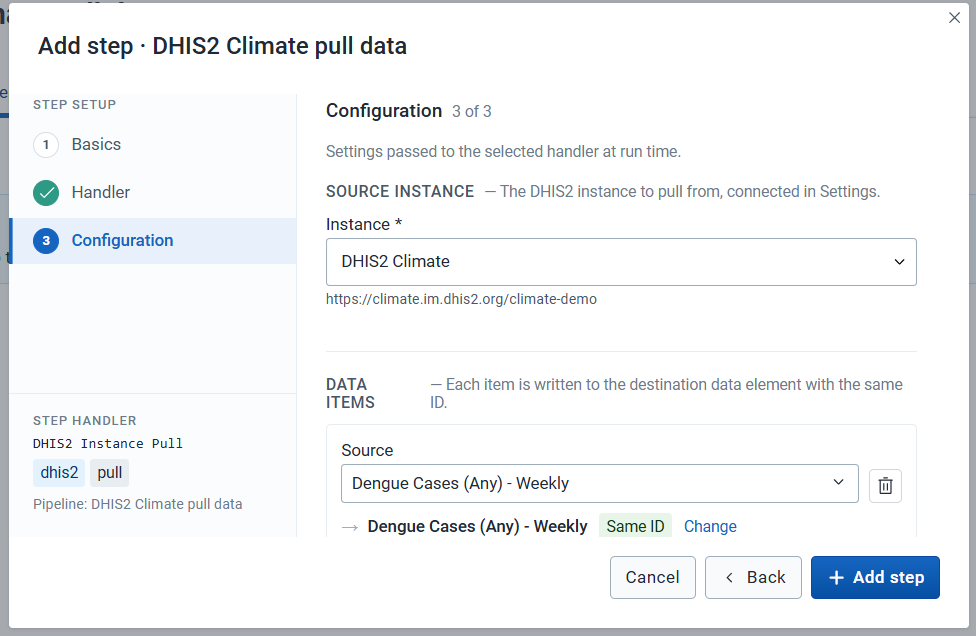
- Under Configuration, select the source instance.
- Select the data items to pull. You can choose data elements, program indicators, or indicators. Click Add Item for another item.
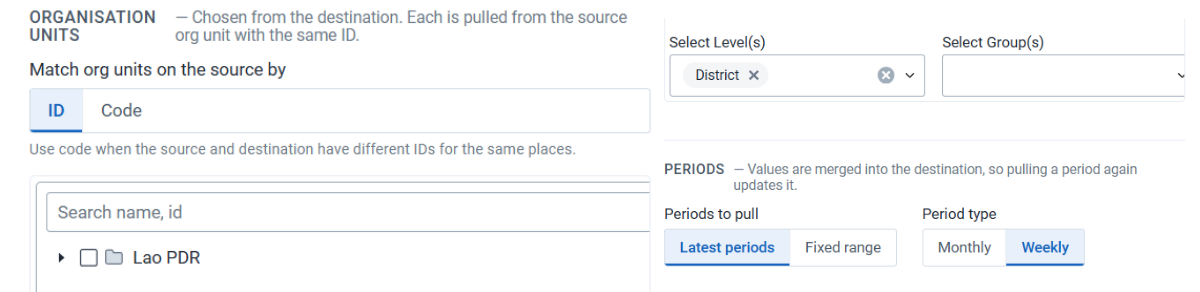
- Choose whether to map organisation units by ID or by code, and select the organisation unit level.
- Select the periods and the period type.
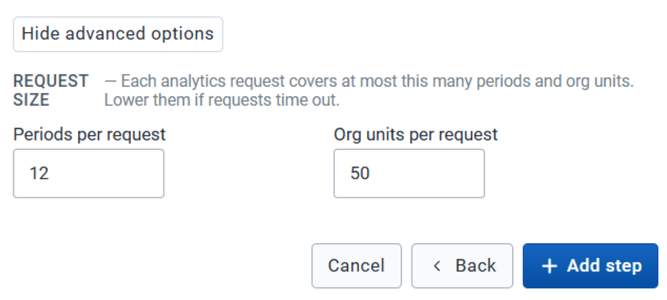
- Under Advanced Options, set how many periods and organisation units to request at a time.
- Click Add step.
2. Upload to this instance
Section titled “2. Upload to this instance”- Click Add step.
- Name the step.
- Under Handler, select DHIS2 Data Upload.
- Under Configuration, select the import strategy.

- Click Add step.
3. Run analytics
Section titled “3. Run analytics”- Click Add step.
- Name the step.
- Under Handler, select DHIS2 Analytics Run.
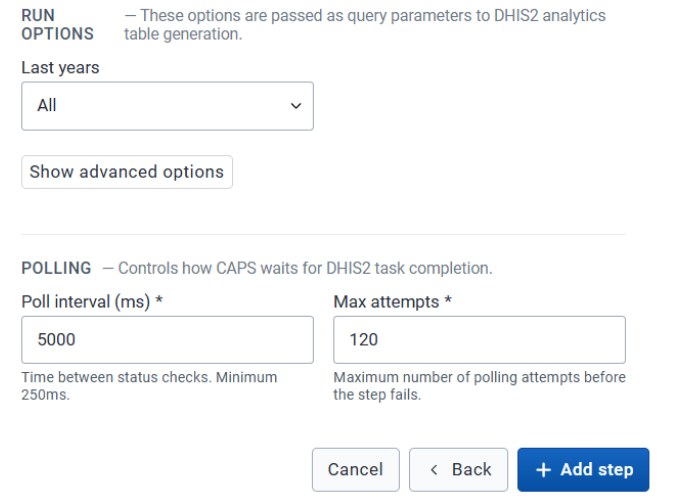
- Under Configuration, set Last years (for example All) and the polling fields Poll interval (ms) and Max attempts.
- Click Add step.
The three steps are listed in that order. Drag a row to change the order.
Steps shows the pull, the upload, and the analytics run, in that order. A later trigger writes the selected values onto this instance.
Run a prediction once the health data and climate covariates are on this instance.