
Connect a source instance
When the data for a forecast is stored on another DHIS2 instance, connect that instance and pull the data into this one. CHAP then uses the copy on this instance.
Before you start
Section titled “Before you start”- The source instance uses the same organisation unit hierarchy as this staging instance.
- This instance already has the data elements that will store the values you pull.
- You can sign in to the source instance. A personal access token, created from the profile menu on the source instance, is the method to use. A username and password also work.
- Worker URLs for this DHIS2 instance are already set. That is CHAP, climate, and DHIS2. Connecting a source instance is the task on this page.
- Open Settings.
- Click Connect Instance.
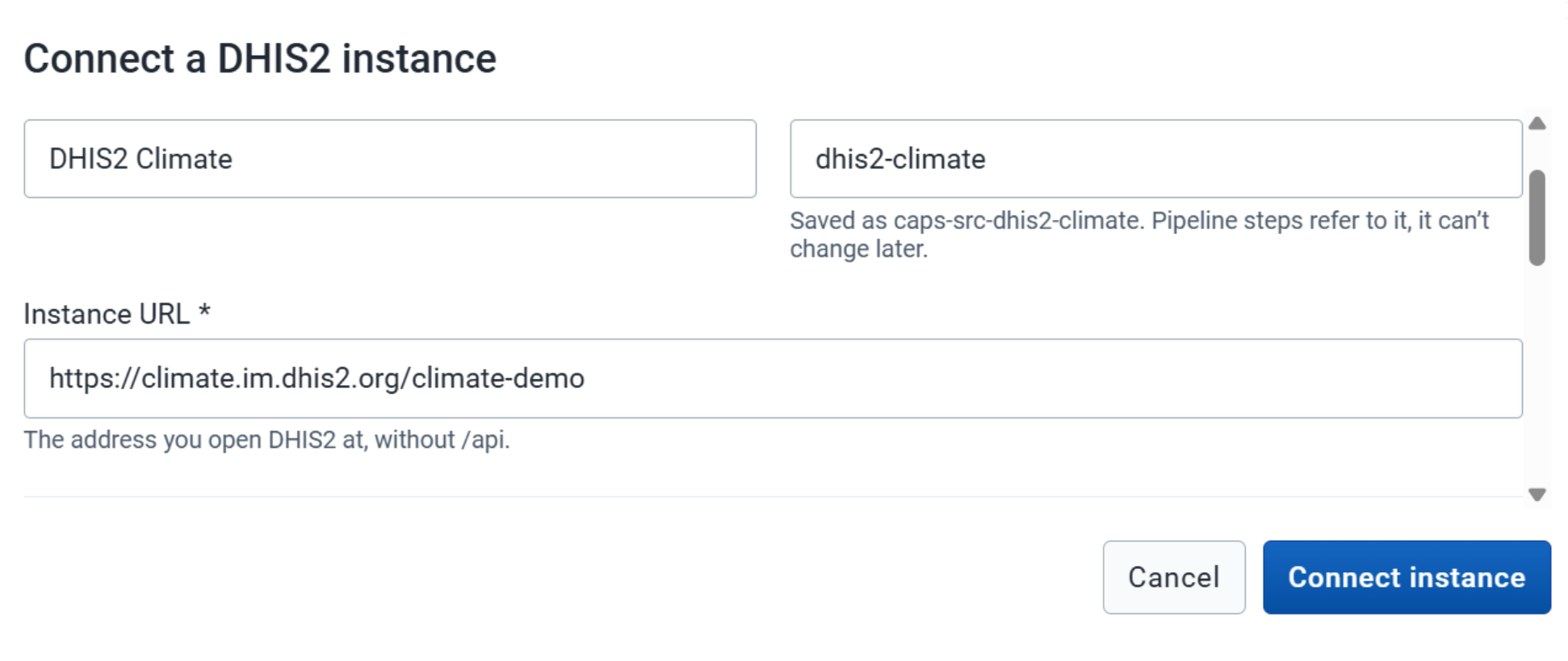
- Fill in the source instance details.
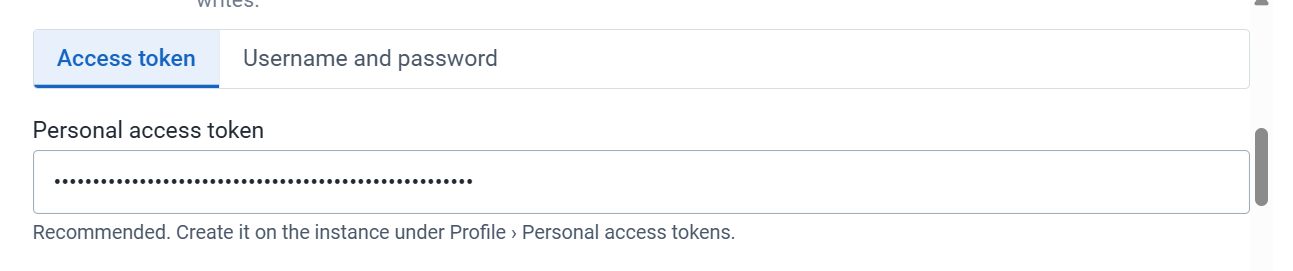
- Choose the authentication method. Personal Access Token is the method to use. Otherwise enter the username and password for the source instance.
- Click Connect Instance.
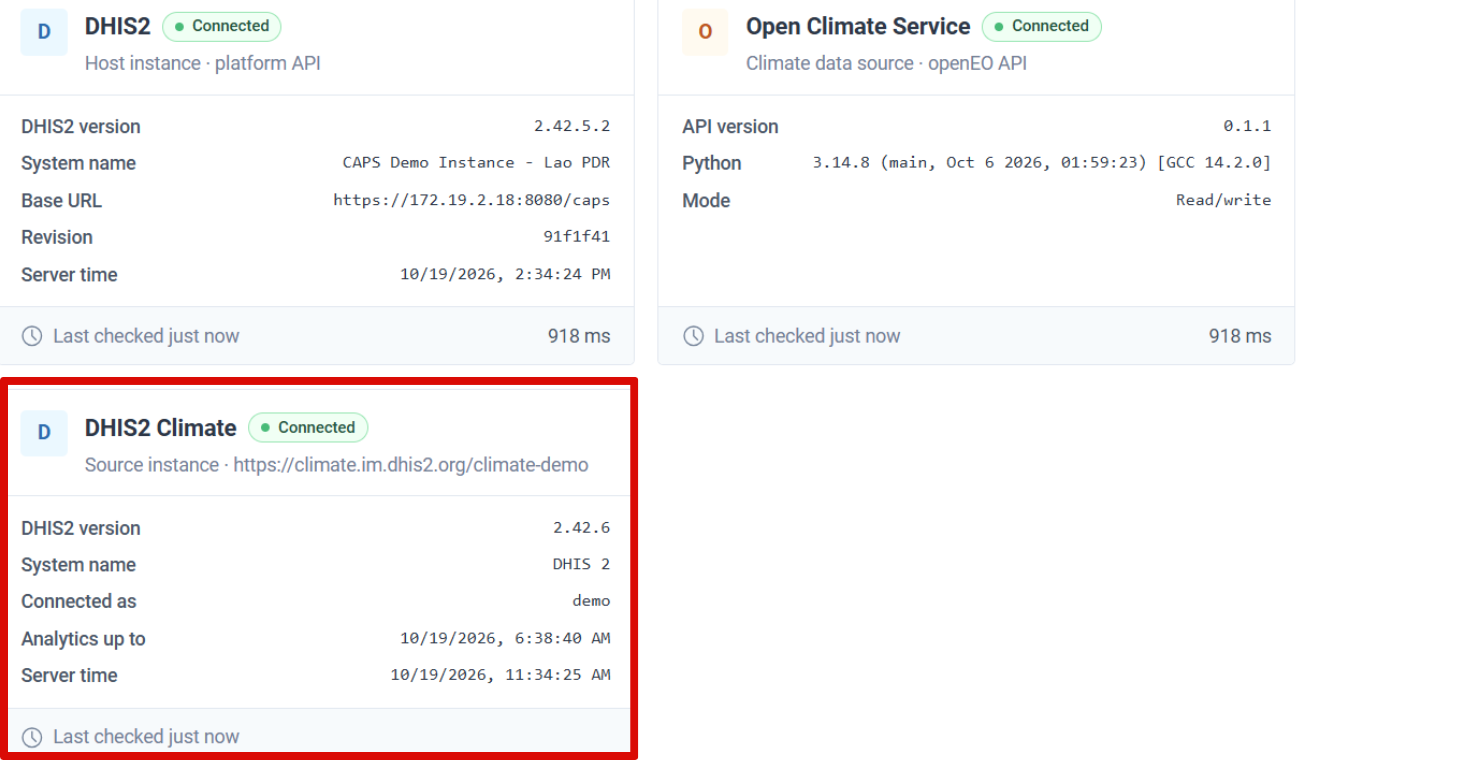
- Open About. The instance appears as a card with its name, connection status, and other details.
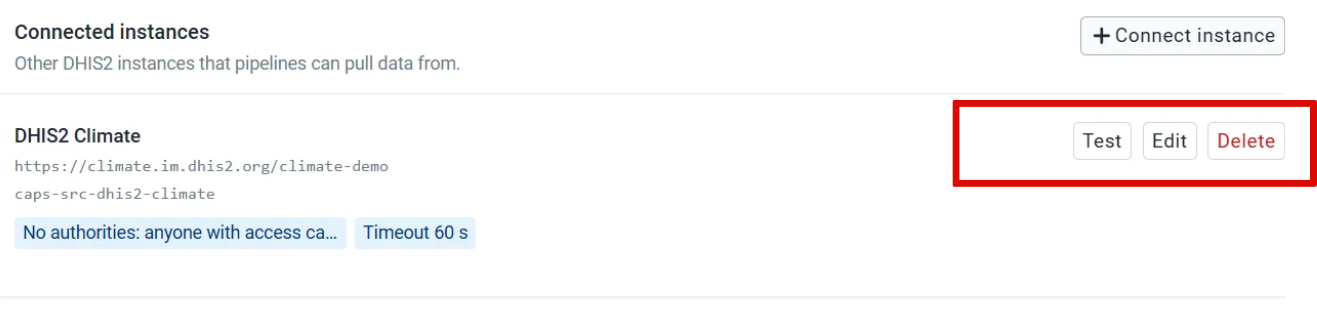
To change the connection, return to Settings. From the instance you can edit its details, test the connection, or delete it.
About shows the source instance, and a connection test from Settings succeeds.
A pull pipeline copies the data you need onto this instance.